Odd Paragraph Spacing in Microsoft Word
Word
This particular issue is usually a result of copying from external sources, but regardless how it came about, the answer is usually the same.
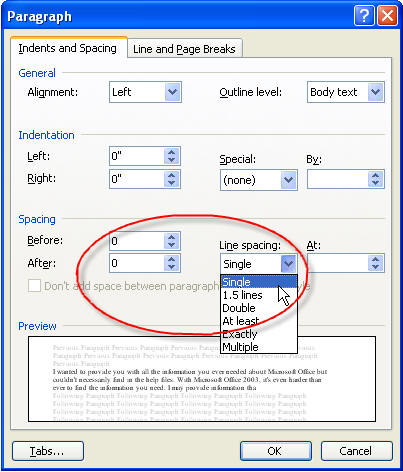
There is spacing set in the before and after paragraph spacing, or the spacing is set to more than single.
To correct it, select the text or Ctrl+A to select all of the text in the document. Hit Format Paragraph and put zeroes in the Spacing Before and After boxes, and set the spacing to Single.