Inserting Equations in Microsoft Word
The Equation Editor has long been a part of Microsoft Office and Word. It's not very easy to get to learn to use and most people end up getting a crash course, but you'll work your way around with these tips.
Insert an Equation
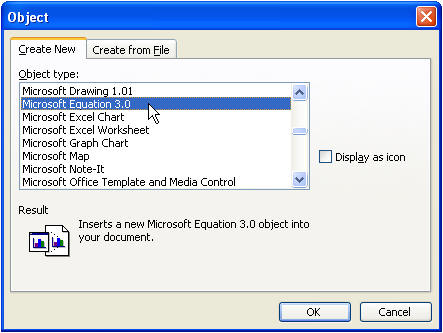
From the menu, choose Insert Object, Equation Editor. It's been version 3.0 for a very long time, so don't expect any great changes to be occurring...they haven't.
You'll get the Equation Editor toolbar, as shown.
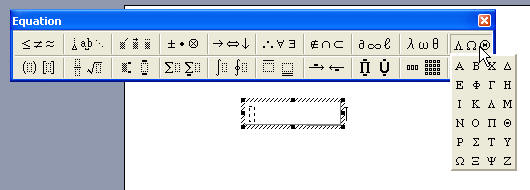
Clicking on one of the buttons, provides either symbols you can insert-many of which cannot be found on the Insert Symbol menu-or you'll get "containers" into which you can type numbers or other text.
A popular usage might be a division problem for homework papers, as shown below.
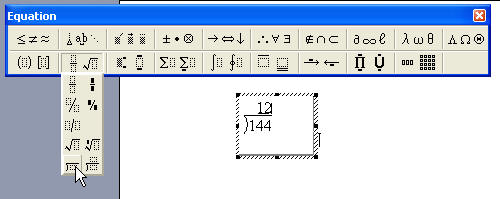
When we're done, it shows up in our document like this:

Okay. You may ask why it's shaded gray. This is how Word handles all fields. If yours don't appear gray, or if you don't want them to appear gray, you'll find the setting under Tools Options, View tab. Change the Field Shading to Never or to When Selected.