Create a Style in Microsoft Word
Word
If you can't control your text while formatting, even for something as simple as taking notes, then create a style for it.
For an extreme tutorial on styles, including how to create a character, click here.
Here's how:
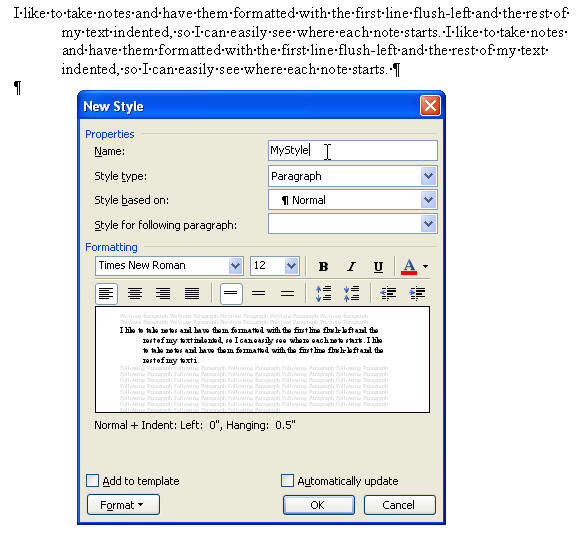
- Format a paragraph of text just how you'd like it to appear.
- Select that paragraph of text.
- Hit Format Styles and Formatting.
- Hit the New Style button to bring up the Styles dialog.
- Type a name for your new style, and hit OK.