Change Multiple Hyperlinks in Microsoft Word
Word
Yes, you can use find and replace, even if your hyperlinks are underlying other text. Just hit Alt+F9 or Tools Options, View tab, and check Field Codes. This turns on viewing of the underlying hyperlinks.
Before viewing field codes:

After viewing field codes:

Now you can do a find and replace.
But what if you only see this and you need to change the web site?

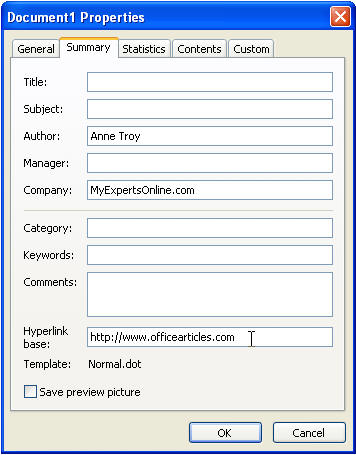
Then just go to File Properties and change the hyperlink base.