Cannot Save a File in Microsoft Word
Hopefully, you've found this article before you gave up. Here's the steps when you've got your document open and you can't save your file.
If you are trying to save your file to a floppy disk, click here.
- Close all other applications and programs. Nothing too fancy, just make sure nothing else is open.
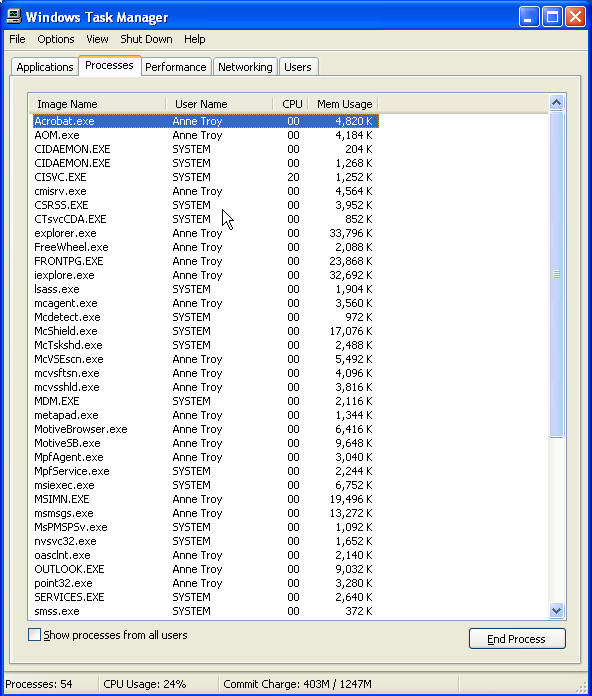
- Hit Ctrl+Alt+Del and make sure no applications are running on the Applications tab, and check that nothing was left running that you've closed. Acrobat is a good one-it often stays running on my PC after I shut it down. PhotoDraw from Office 2000 Premium also likes to stay in my task list. Of course, my task list below shows many open processes, but yours should really only show Word that's recognizable. All the rest is system stuff. End task on anything you know you don't need right now. Especially if there's big numbers in the memory usage column.
-
Hit Start Run and type %temp% and hit Enter. Delete any and all files you can. This may also free up some memory.
-
Try saving your file again. If it won't work, we're down to the last resort, really. Open WordPad from Start Programs Accessories WordPad. Copy your entire Word doc (Ctrl+A, Ctrl+C) and paste it into a WordPad document, and save it. I cannot promise that everything will be salvaged perfectly. Close that file.
-
Hit your power button. Yes. Do NOT end task or end process on Word! Let your PC sit a few seconds to completely shut down. Restart it. Launch Word. You should be given the opportunity to recover the file from the last time it was auto-saved. Save your file.
-
The very next opportunity you get, clean up your hard drive. If Word continues to give problems saving after that, then troubleshoot Word.