Add a New Page in Microsoft FrontPage
Step 1. With your existing web open, from the menu, choose File New.

Step 2. Select a page type to add to your site.
You can choose any of the following options:
- Blank page
- From existing page (essentially this is copying a page)
- More page templates (opens a page templates dialog box)
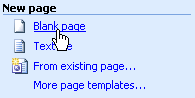
For our demonstration, we chose Blank page.
Step 3. Save the new page to your web site.
Notice the page does not yet exist in the site-the page must be saved for it to appear inside the site's file list. Right click the new page's tab and click Save.
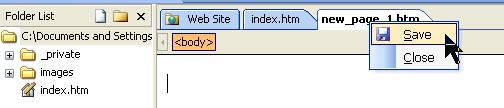
The Save As dialog box opens. It selects the web site folder you are currently working in. The title needs to be changed.
Step 4. Change the title of your page.
The title of the page is the text that appears in the title bar of Internet Explorer. Here at our site, we use the same title for our page as we use for the title of the article-we literally copy and paste it. See the title bar?

Choose the Change Title button, and type the name you want displayed, and click OK.

Step 5. Save the file.
Click in the File Name box and type the desired file name. Hit Save.
You have now created a new page in your web site. It can be seen in the content of the Folder List.