Fill in the Blanks in Microsoft Excel
Excel
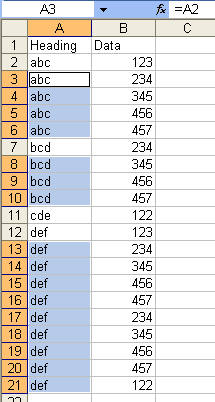
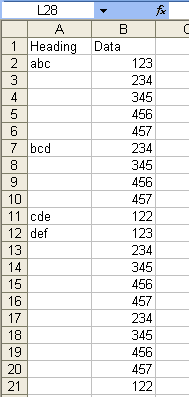
This is so much easier that it might seem. Suppose you have "headings" only in certain cells in A1 because someone sent you a report that was designed this way. Now you want to sort or subtotal the data properly, and you can't unless you put headings in each row. So, effectively, you need to copy the "abc" in A2 into A3 through A6, and the "bcd" in cell A7 to cells A8 through A10, etc.
Click on the letter A to select the entire column. Hit Edit Go to Special, Blanks, OK. Type the = sign, and then hit the up arrow one time. In our sample here, the formula becomes =A2.
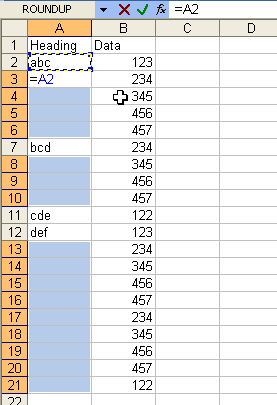
Now, just hit Ctrl+Enter. Here's our result.